Security Update
Solve it today.
Cin7
Security update requires Cin7 integration to be reconnected to Xero
Inventory Management Software
Security update requires Cin7 integration to be reconnected to Xero



Cin7 will be performing a technology update to
your
Xero integration to comply with industry standards required by Xero. Your Cin7 integration to Xero needs to be reconnected.
Effective from March 4, 10 a.m. you must reconnect Cin7 with your Xero account to continue syncing Cin7 with Xero.
This update migrates all Cin7 Xero integrations to use OAuth 2.0, an industry-standard protocol that allows us to securely connect to Xero.
What’s changing with this update and how soon do I need to initiate the reconnect?
We recommend you reconnect as soon as possible after the update. Once you reconnect, there will be no change to how you use Cin7 with Xero.
What happens if I don’t reconnect after the update?
The integration between
Cin7 and
Xero will not function until you reconnect Cin7 and Xero.
How do I reconnect Cin7 with my Xero account?
You must have full administration rights in both your Xero and Cin7 accounts to reconnect Cin7 with Xero. To reconnect Cin7 with Xero:
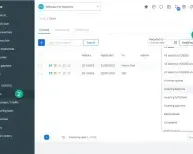
- Log in to Cin7 as an Administrator and select “Xero Dashboard” in the left navigation pane.
- Select “Click To Connect” in the top right corner.
- Under Connect To Your Xero select “Connect”.
- This takes you to a Xero page. Follow the prompts/complete all actions to reconnect your account. This takes you back to Cin7’s Xero Dashboard. Your account will be reconnected.
What if I have access to more than one Xero account?
If your Xero account includes access to more than one Xero entity, you must select the relevant entity. When you return to Cin7’s Xero Dashboard, select the entity from the drop-down list in the “Connect” menu.
Once you select the Xero entity, the drop-down list will no longer display. This prevents other users from inadvertently selecting the incorrect Xero entity.
Sister site – XeroHero.com.au
Latest Integrations & Updates
Stay updated on our newest software integrations.

Cin7 Core Xero
Effortless integration between Cin7 Core and Xero for streamlined accounting.

Cin7 Payments
Enhancements eliminate the need to allocate payments manually.

WooCommerce - Dear
Integrate Shopify or WooCommerce with Dear Systems training.
 Facebook
 Twitter
 LinkedIn

Meet our team
Passionate blogger sharing insightful articles

Tony Fred
Chief Executive Officer
Founder and chief visionary, Tony is the driving force behind the company. He loves to keep his hands full by participating in the development of the software, marketing, and customer experience strategies.