


We offer Cin7 Support. Contact us for a quote.
Not that simple to understand
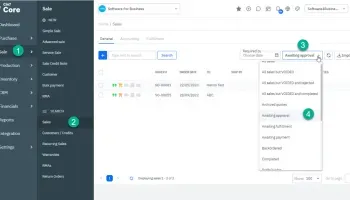
The Cin7 Orders screen displays sales orders that need to be picked or packed individually or in groups.
Numbers to guide you
Nevertheless, it’s not as simple as you might think. Knowing exactly what steps to take when you open a Cin7 sales order can be more challenging.
In the new system, they do provide you with numbers, so that you can follow them.
I would suggest, rather than focusing on the numbers, you should learn how to use the interface in general, as you may be confused if you don’t.
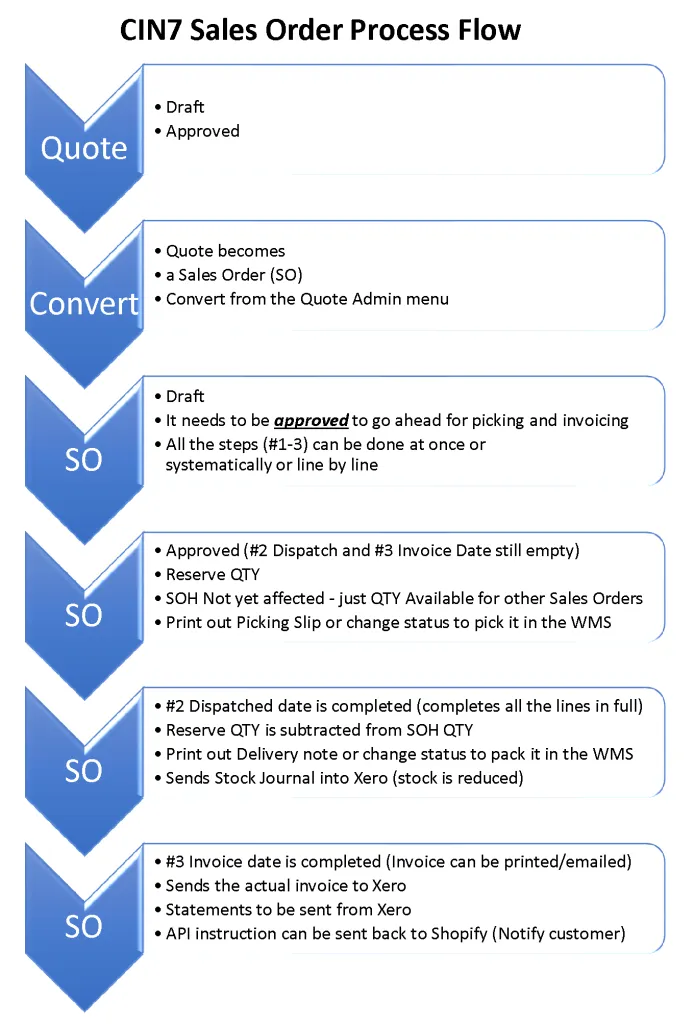
As a result, I have designed this workflow to explain how to move from a sales quote to a draft sales order and eventually a sales invoice.
You should keep in mind…that in the standard workflow, once approved the button names change from “Approve & Email” to “Save & Email”.
Apart from understanding little quirky things like that, it is also important to understand that there are statuses that can trigger interaction with external applications like Shopify or the Cin7 WMS.
Basically, stages are used when sales orders move from one stage to the next until they are fully completed.
When is what updated
Cin7 Support – Stock Management
You might also like these Cin7 Support articles I wrote
Here is a Video that might be of help.
Cin7 Process Flow – Cin7 Support.
External link: https://vimeo.com/362180161

 Facebook
 Twitter
 LinkedIn

Meet our team
Read articles written by Hanno

Tony Fred
Chief Executive Officer
Founder and chief visionary, Tony is the driving force behind the company. He loves to keep his hands full by participating in the development of the software, marketing, and customer experience strategies.